
Video editing guide
Tier List Maker: Build a Ranking for Your Next Video
Updated
A tier list maker helps you turn a collection of items into a clear ranking. For a video, the strongest starting point is a board viewers can read and a judging rule they can understand. Pick your subject, define what the S–F ranks mean, and decide how you will reveal each placement. Then use Cutiz to shape your recorded ranking into the finished video.
This guide is for creators making a tier list about products, food, games, films, habits or their own work. You can start with one of our free tier list templates, customize the board, and record your explanation. You do not need to turn every opinion into an elaborate production.
For a more specific starting point, use the video game tier list, fast food tier list maker, or animated movies tier list. Each has a blank board for that subject and a filming plan.
Make your tier list video in Cutiz
In this guide: Choose a workflow · Define the ranks · Pick a template · Make the video · FAQ
Choose your tier list maker workflow
Start with the output you want. If the ranking will be shared as an image, prioritize a board that remains readable after it is saved. If you are recording a longer discussion, leave room for your face or supporting footage. If you want a short vertical video, keep the board simple enough to understand on a phone.
A tier list creator or tier list generator may use different names for the same basic job. What matters is whether you can change the labels, place your own items and get a usable result. A video adds another job: controlling when viewers see each item and how long they have to absorb your reasoning.
| What you want to make | Start with | What to prepare for the edit |
|---|---|---|
| A complete S–F ranking | A full board with readable item names | A recording that shows each placement and the final result |
| A short video about one surprising decision | A board plus a large area for the current item | The reveal and one concise explanation |
| A reaction or discussion video | A board with space for a speaker | Your reaction footage and the board recording |
| A numbered top 5 countdown | Five distinct positions | Clips ordered around the final reveal |
The format should follow your argument. If two items deserve the same rating, a tier list makes that easy to show. If you need to declare a single winner above every other entry, a numbered ranking is usually clearer.
Give your ranks a clear meaning
Before adding pictures, finish this sentence: “I am ranking these items by ___.” That missing phrase is the rule viewers need. “Best games” leaves room for several interpretations. “Games I would recommend to someone playing with friends for the first time” gives the ranking a recognizable purpose.
Here is a set of proposed labels you can adapt:
- S: the strongest recommendation for this specific use.
- A: an easy recommendation with a small tradeoff.
- B: a good choice when the conditions fit.
- C: useful in a narrower situation.
- D: a poor fit for the stated criterion.
- F: the weakest fit among the items you actually considered.
These are editorial definitions, not universal grades. You can rename the rows if “would buy again,” “depends on the price” and “would skip” make more sense for your audience. Keep the same rule throughout the video.
Choose items you can explain from experience or evidence. For an opinion video, make the perspective clear: “my favorite” and “best for my budget” tell viewers what the list represents. If you are making a factual product comparison, keep your supporting notes close to the recording.
Choose a tier list template that fits your explanation
Our tier list templates give you four starting layouts: a classic S–F board, an item spotlight, a reaction board and a reveal storyboard. Each has a downloadable PNG and an editable SVG. The SVG is useful when you want to change colors, text or placeholder shapes in a vector editor.
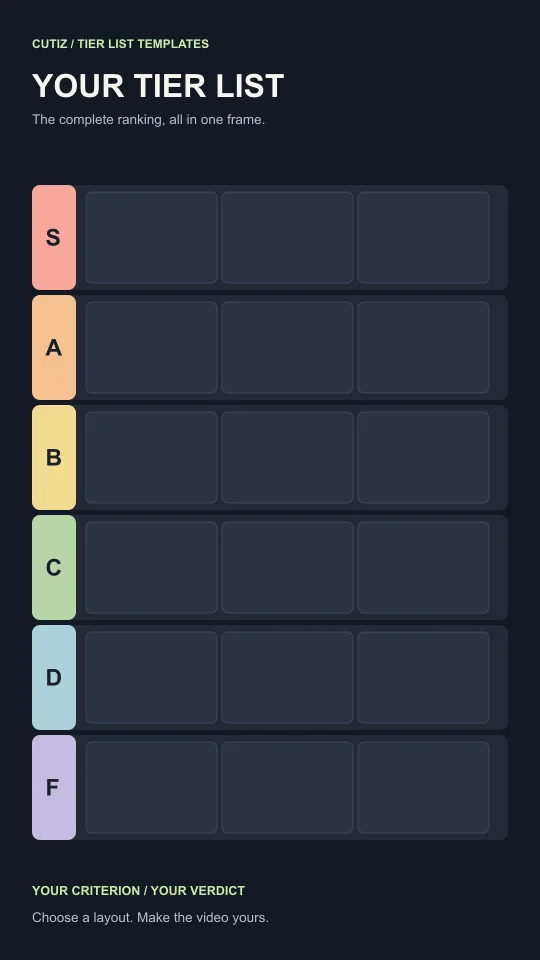
Use short item names and consistent image crops. A long title squeezed into a small tile becomes hard to read, especially once the board is part of a vertical video. When an item needs more context, show it larger during its introduction and use a short label on the final board.
Do not fill every available slot just because it exists. Empty space can make the finished ranking easier to scan. The item spotlight layout is a better choice when a product, photo or clip needs a closer look.
Turn your tier list into a video in Cutiz
Prepare the board in the editor you use for images or SVGs, then capture a screen recording of the placements or reveal. If you are filming a reaction, record that footage too. You now have material you can edit in Cutiz instead of trying to improvise the entire ranking inside one take.
Use Cutiz's timeline to trim the setup and put the decisions in a clear order. Animated text can introduce your criterion or emphasize the rank you have just assigned. Video layers and split-screen can bring your reaction and the board into the same edit.
Keep the explanation close to the placement. A viewer should hear the reason while they can still identify the item. When a sentence repeats the same point, trim it; when a pause gives the reveal room to land, keep it. Cutiz's reversible silence removal can help with empty stretches, but a meaningful pause is an editorial choice.
If your recorded voice needs cleanup, use the audio denoising workflow and listen to the result. The aim is an explanation that is easy to follow, with enough of your natural reaction left in it.
Start your tier list video in Cutiz
Make the final board worth pausing on
A tier list often ends with several judgments on screen at once. Give that result a clean frame. Let viewers see the subject, the ranks and the item labels without extra text covering them. If an entry moved during the discussion, show its final position clearly.
Watch the export at normal phone size. Can you read the item names? Does the placement match the spoken verdict? Are the important labels clear of captions and other text? If the board feels crowded, shorten labels or split the explanation into a closer view and a view of the full board.
For the complete sequence, follow how to make a tier list video in Cutiz. If you already have the recording, choose the strongest opening and begin the edit.
Choose your board and make your ranking
The useful tier list maker workflow is the one that gets your judgment onto a readable board and your explanation into a watchable video. Start with a clear criterion, choose a tier list template, and record the decisions you can explain.